









Make a paperclip, then read what changed
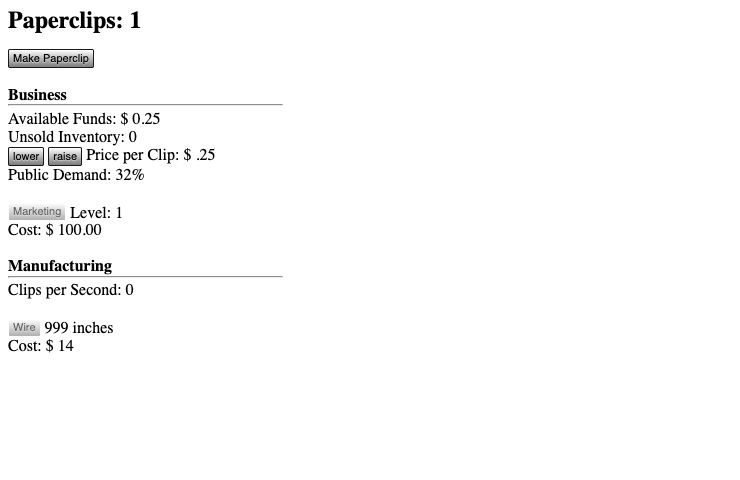
Begin with Make Paperclip in the original game. The opening counters distinguish produced clips, unsold inventory, available funds and remaining wire. A click consumes material and creates an item; it is not immediately the same as receiving money. In our startup check, the counter changed from zero to one and wire decreased after the input. Use those visible changes to understand the first production cycle before looking for an advanced endgame build.
Production and demand must work together
Watch inventory as well as cash. If unsold clips accumulate, producing more is not the only decision to consider: price and demand affect the business side. Compare the result of a small price adjustment before making another one. Wire is a separate constraint, so a stalled factory can call for material rather than another machine. The useful early habit is identifying the limiting resource instead of clicking every available control whenever it lights up.
Automation changes the next useful decision
As the run develops, new upgrades and projects appear. Read their current cost and requirement before committing resources, and check whether the purchase solves the constraint you just observed. A production upgrade, a demand improvement and a new project do different jobs. This page avoids a fixed minute-by-minute script because the state you reach depends on previous choices. Keep a small reserve for the resource that allows production to continue.
Later stages and spoilers
Universal Paperclips expands beyond the opening business screen. If you want to discover that progression yourself, follow the projects revealed by the game rather than reading a complete endgame solution before your first session. When you do need help, record the stage, visible resources and the exact disabled control. Advice for a later stage cannot explain an early button that has not appeared yet. A precise state is more useful than a generic claim that the game is stuck.
Browser progress and safe returning
Keep using the same browser context for a continuing run and consult the original game’s own storage or restart controls. An embedded context and a separately opened original tab may not share storage in every browser. Do not assume that switching between them transfers progress. A RadiantGames favourite stores this page link only; it is not a save export. Avoid clearing site data merely to diagnose a layout or loading problem.
Desktop first and the original source
The official landing page states that its web version was not designed for phones and links separate mobile versions. This player is therefore classified for desktop input and excluded from touch-first recommendations. A phone can use the original site’s mobile route or choose one of the touch-ready alternatives here. The game frame loads from decisionproblem.com; no commercial game files are copied to our storage. This independent guide is maintained by the RadiantGames operator.
Original source: www.decisionproblem.com. Independently written by Owen Carter, operator of RadiantGames. Checked 3 November 2026.