
Join your friend in four steps
- Ask the host for the current four-letter room code. Use the code they share for this room.
- Open the original Puffer Party lobby and find Join by code.
- Enter all four letters in Room code, then select Join. The button stays disabled while the code is incomplete.
- Check that you have reached the intended room before waiting for the host or following its current start prompt.
The code box and the name box serve different purposes. Enter the room code in Room code; use Your name for the name shown to other players. On a phone, scroll to Join by code and dismiss the keyboard if it covers Join.
Find a private room
A private room is code-only. Ask its host to share the code directly. A public room can appear in the public list, where the lobby shows occupancy and whether a room is waiting or playing.
When hosting, open Host a room and check the public/private setting before creating it. The current lobby labels the public option Public · Listed. Share the room code once the room has been created. Copying the ordinary Puffer Party page address alone does not tell a friend which private room to join.
Choose Quick Play when you have no code
Under Play now, choose a table size first. The checked lobby offers 1V1, 3S, 4–6 and 8–10. Quick Play is the unrated option. Rated uses the lobby's rating-based queue.
For a group of friends, agree on one host and use the same room code. Queueing separately can put you in different matches. Public rooms are another way to find a table; read their current occupancy before choosing one.
Join disabled, room full or code not working?
- Join is disabled
- Check that the Room code box contains all four letters. The official input accepts four characters. Remove copied spaces and use the code from the host, then check the button again.
- The room is full
- A full room is marked Full in the public list. Ask the host whether there is a place available, or agree on another room. A code does not reserve a seat.
- The host has closed or recreated the room
- Request the current code. A saved screenshot or an earlier message may refer to the previous room.
- The lobby or join request stops responding
- Read any message from the original site. Check whether its lobby loads in a separate tab before refreshing. If you are already in a game, a refresh may interrupt that session. Follow any verification offered by the original site.
Know what happens after joining
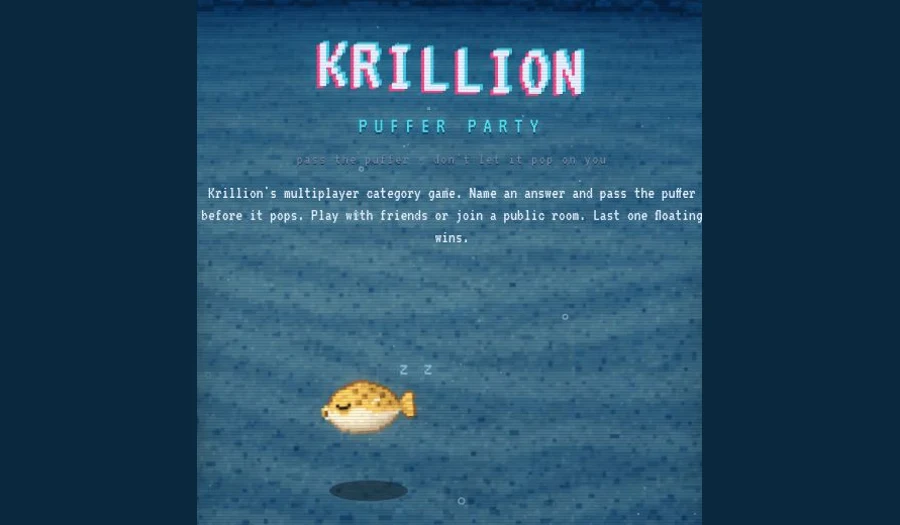
Puffer Party is a multiplayer category game. Submit an accepted answer before the puffer pops to pass it along. The current How to Play says that rarer answers bring you closer to an extra heart, and that an answer cannot be reused for the current question. The last player floating wins.
The Puffer Party rules guide explains the game in more detail. For an independent solo warm-up, try Recall Lab. Its original practice questions and scoring are separate from Krillion's answer validation.
Lobby checked on 21 November 2026
This guide was checked against the original desktop lobby, its four-character code input and its How to Play panel. Room occupancy changes continuously. It does not supply a live room code or host a copy of Puffer Party. Open the original lobby for the current room state.